October 9, 2026
How to Choose an Agile Tool for a Large Team
What changes when you go from one team to many, and what to check before you commit.
A single agile team can run on almost anything: a board, a backlog, and a shared understanding of what "done" means. Once you have five, ten, or twenty teams working on the same product or portfolio, the tool stops being just a place to track tasks. It becomes the system that holds the whole organization's plan together.
That changes the questions you need to ask. It's no longer only "Can the team see its sprint?" It's also: Can teams see each other's work? Can leadership understand progress without asking for a status deck? And can the tool handle hundreds of users without turning administration into a full-time job?
The goal isn't to buy the biggest platform available. It's to choose one that supports coordination across teams while still letting each team work the way it needs to.
1. Start with how your teams are actually organized
Before comparing tools, describe your structure honestly:
- Several teams on one product — they share a backlog or roadmap and depend on each other's work
- Independent teams — each owns its own product or service, and coordination is occasional
- A formal scaling framework — you run SAFe, LeSS, or a similar model with program increments, release trains, or shared planning events
- A mix — some teams run Scrum, others Kanban, and a few barely follow a process at all
A tool built around a formal framework can feel heavy for loosely connected teams. A tool designed for single teams can leave a coordinated organization stitching together spreadsheets on top of it.
Match the tool to the structure you have — not the one in a framework diagram.
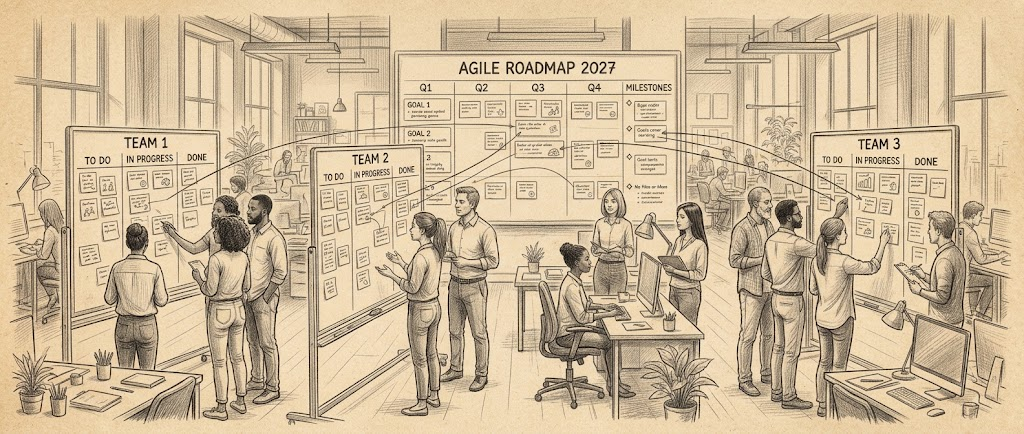
2. Plan across teams, not just within one
Inside one team, a backlog and a board are usually enough. Across teams, the hard problems are between the boards:
- Dependencies — Team A can't start until Team B delivers an API. Can the tool show that link, and flag it when one side slips?
- Shared roadmaps — can you see the work of several teams on one timeline, by quarter or by program increment?
- Capacity — can you see whether a team is overcommitted before planning goes wrong?
Many tools handle these on their higher plans only. Cross-team planning, portfolio views, and dependency management are often the line between a mid-tier plan and a premium one.
Check which plan you would actually need, not just whether the feature exists.
3. Let teams work differently, but report the same way
Large organizations rarely have one process. A platform team may prefer Kanban, a product team runs two-week sprints, and a hardware team works in longer cycles.
A good tool for a large organization allows that variety at the team level while keeping a common structure above it: shared fields, consistent top-level statuses, and reports that roll up across teams.
Ask two questions during evaluation:
- Can each team configure its own workflow without breaking organization-wide reporting?
- Can leadership see progress across all teams without someone preparing the data by hand every week?
If the answer to the second question is "someone exports to Excel every Friday," the tool isn't solving the coordination problem.
4. Treat administration, permissions, and security as features
With five people, permissions barely matter. With five hundred, they decide whether the tool stays usable.
Look closely at:
- Roles and permissions — who can create projects, change workflows, or see sensitive work?
- Single sign-on and user provisioning — SSO (often SAML) and automatic provisioning save hours every time people join or leave
- Audit logs — who changed what, and when
- Data residency and compliance, if your industry requires them
These features are easy to skip during a demo because they aren't visible on a board. They are also the features most often reserved for enterprise plans — which brings us to pricing.
5. Check how pricing scales
A per-user price that looks reasonable for ten people can look very different at three hundred. Before deciding, check:
- Price per user at your real headcount — some vendors lower the per-user price as team size grows; others don't
- Minimum seats — some plans require a minimum number of users
- What sits behind "Contact sales" — SSO, audit logs, and advanced security are often enterprise-only, with custom pricing
- Who needs a paid seat — some tools offer free viewers or guests, which matters when stakeholders only need to read progress
- Annual versus monthly billing — the annual discount is attractive at scale, but it's a longer commitment
Build the cost for the team you'll have in a year, including the plan that contains the features from sections 2 and 4.
6. Match the tool to your existing ecosystem
Large organizations already have a technical environment, and the agile tool has to fit into it. A few examples of different kinds of fit:
- If your organization runs on Microsoft, Azure DevOps keeps boards, repos, and pipelines in one place.
- If you already use Atlassian products, Jira offers cross-team planning and dependency management on its Premium plan, alongside Confluence for documentation.
- If you follow SAFe and want strategy connected to delivery, Aha! Develop supports Scrum, Kanban, and SAFe approaches.
- If teams outside engineering need to work in the same platform, monday dev offers cross-team roadmaps on its Pro plan.
- If self-hosting or control over your data matters, OpenProject and Easy8 offer on-premises options.
These aren't recommendations for every organization. They illustrate how the right choice often depends more on the environment you already have than on a feature list.
7. Plan the rollout, not just the purchase
For a large team, the decision doesn't end when you sign the contract. Before committing, think through:
- A pilot — start with one or two teams for a few sprints, using real work rather than a demo project
- Migration — how will existing backlogs, history, and attachments move over? What can be left behind?
- Ownership — someone needs to own the configuration, maintain workflows, and say no to the fiftieth custom field
- Training — a short, practical onboarding per role (team member, Scrum Master, manager) works better than one long general session
A tool that's slightly less powerful but well adopted will deliver more than a powerful platform that half the teams quietly work around.
Choose for coordination, not just for features
Choosing an agile tool for a large team is really about choosing how your teams will coordinate. Feature lists matter, but the deciding questions are about structure: how teams depend on each other, how progress is reported, how the tool is administered, and what it costs at your real scale.
Start with how your organization works today, pilot with real teams, and choose the tool that makes coordination easier rather than one more thing to manage.
Browse the full list of agile tools, or use the comparison page to put two or three shortlisted options side by side.
Working with a smaller team? Read How to Choose a Tool for a Small Agile Team.